Linux
Debian & Ubuntu
Native x64 package using your distribution's maintained media and desktop libraries.
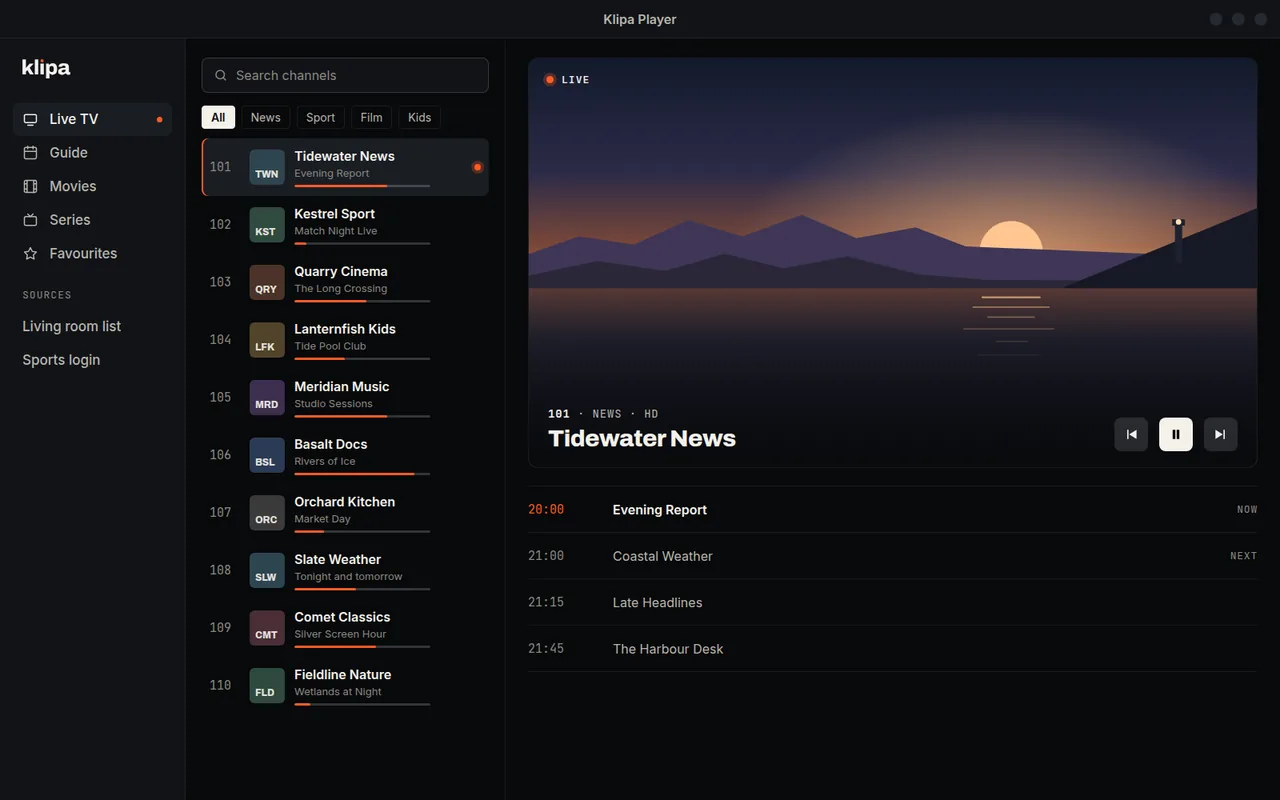
A fast, lightweight IPTV player for Debian and Ubuntu. Play your own M3U, M3U8, or Xtream-compatible source with a proper TV guide. Klipa provides the player, not the content.
Open source under LGPL-3.0 — star it on GitHub.
Desktop installs
Klipa Player 0.1.2 is available for Debian and Ubuntu. A Windows build is in preparation; it will be published here once a code-signing route is in place.
Linux
Native x64 package using your distribution's maintained media and desktop libraries.
Version 0.1.2 · 9.5 MiB · Release notes · Source code · SHA-256 checksums · Third-party notices · SBOM
Watching on a phone, tablet, or TV? Klipa is also on Android and Android TV: same player, no ads, no account.
Get the mobile appA real IPTV player for PC
General media players can open an M3U stream, but daily IPTV needs more: channel groups, search, favorites, provider categories, movies and series, and a guide that stays useful after the first import. Klipa puts those pieces in one focused desktop app.
It stays small by leaving out advertising SDKs, account systems, cloud sync, and background services. Your configured provider remains the source of both streams and guide data.
Light by design
Open a local M3U, paste a playlist URL, or enter an Xtream-compatible login.
Your saved sources, favorites, navigation, and guide cache are encrypted on this desktop.
Guide data comes directly from the provider you configure. It is never routed through Klipa.
No telemetry, account, updater service, startup network call, or Klipa VPS dependency.
Open source
Klipa Player for desktop is free software under the LGPL-3.0 license. Audit how it handles your playlists, build it yourself, or help make it better — issues and pull requests are welcome.
Clear security boundary
Klipa does not proxy streams or guide data. Only add playlists and accounts you trust: adaptive streams can direct the media engine to additional hosts. Media and metadata are still treated as untrusted input.
Good to know
Yes. There are no ads, subscriptions, paid feature tiers, or account requirements. Klipa is player software and does not sell access to channels.
Yes. Add a local M3U or M3U8 file, paste a playlist URL, or sign in to an Xtream-compatible source.
No. Klipa is a player only. You must provide a playlist or provider account you are authorized to use.
Yes. The desktop player is developed in the open under the LGPL-3.0 license. The source code and issue tracker live on GitHub.
No. Desktop playback, library storage, and EPG do not require an account or Klipa server.
No background updater is installed. New versions are explicit downloads from this page.
A Windows build is in preparation. It will be published here once a code-signing route is in place: an unsigned installer is not offered, because it means a SmartScreen warning for everyone who downloads it.