If you've heard the term "M3U" but the explanations you've read jumped straight into MIME types and extended attributes, this is the version you wanted. An M3U is a plain text file containing a list of media URLs. That's the whole concept. Everything else is detail.
This article unpacks what's actually inside one, what makes "M3U" vs "M3U8" vs "extended M3U" different, and why every IPTV provider uses the format.
The simplest possible M3U
Here's the entire format in three lines:
#EXTM3U
#EXTINF:-1,Big Buck Bunny
https://example.com/bunny.mp4
A header (#EXTM3U), one channel entry (one #EXTINF line followed by the URL), done. Any media player that supports M3U will read those three lines and offer to play "Big Buck Bunny". You can save the example above as test.m3u, double-click it, and VLC will play it. There's no compiler, no encoding, no schema validator. It's the format equivalent of a shopping list.
What #EXTINF actually contains
Each channel in a real-world IPTV playlist looks more like this:
#EXTINF:-1 tvg-id="twn1.uk" tvg-logo="https://logos.example/twn1.png" group-title="UK",Tidewater One HD
http://provider.example/live/abc123/index.m3u8
The pieces:
-1— the duration in seconds. For live channels it's always-1(meaning "unknown / unlimited"). VOD entries put a real duration here.tvg-id— an identifier used to match this channel with its electronic program guide entries. If the EPG file lists<channel id="twn1.uk">, the IPTV player knows the listings belong to this channel.tvg-logo— a URL to the channel's logo. Optional; if missing, the player shows a placeholder.group-title— the category this channel appears under in the player. Conventional names: "UK", "Sports", "Movies", "News".Tidewater One HD— everything after the comma is the channel name as displayed.
There's also the URL on the next line, which is the actual stream. It's usually an HLS playlist (ending in .m3u8) or a TS stream (ending in .ts).
A real provider's playlist is just thousands of these stacked on top of each other.
What "M3U8" means
M3U8 is the same format, encoded as UTF-8. The .m3u8 extension exists because the original M3U spec assumed Latin-1 or local code pages, which couldn't represent Arabic, Cyrillic, or Asian channel names. M3U8 fixed that.
In modern IPTV everything is M3U8 in practice, even when the file is named .m3u. Treat them as synonyms.
What an "M3U URL" is
When an IPTV provider sends you a URL like:
http://provider.example:8080/get.php?username=ABC&password=XYZ&type=m3u_plus
That URL returns an M3U file when you fetch it. The provider generates the file on the fly with your credentials baked in. The file itself is the same plain-text format described above — just delivered over HTTP rather than emailed as an attachment.
If you ever want to see exactly what your provider sends, paste the URL into a browser. Most browsers will show the raw text. (If they download instead of displaying, open the downloaded file in a text editor.)
How to verify a playlist before importing
The most useful skill if you're new to IPTV: check the playlist works before you import it into an app. The free M3U playlist tester on this site takes the URL, fetches the file, parses the channel list, and probes the first 100 streams in parallel. It tells you how many resolve. If the answer is "zero", your provider is broken; don't waste time on the player.
This works because the M3U format is so straightforward — you can verify the whole pipeline in a few seconds without installing anything.
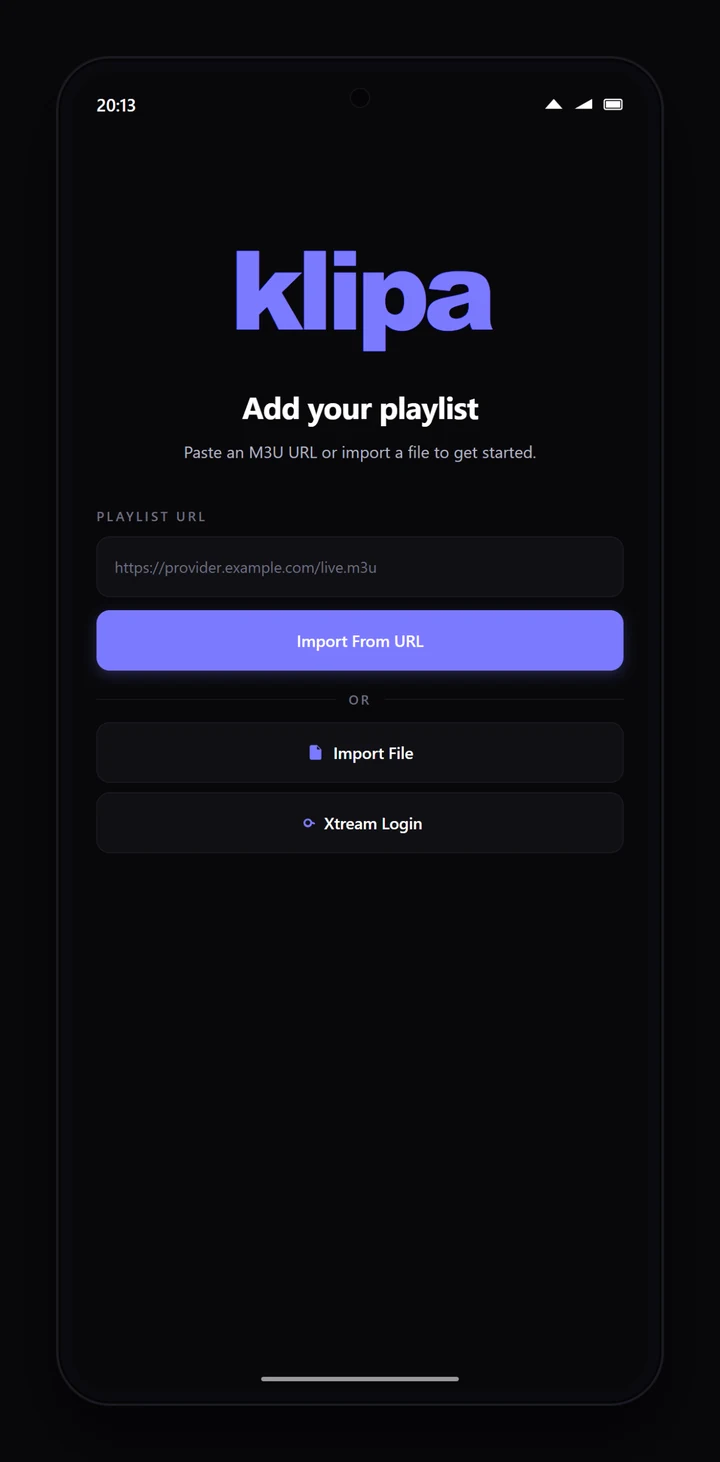
In practice, importing an M3U is a single paste — the player handles the rest of the parsing.
Why providers use M3U
The format is over 25 years old and was originally designed for MP3 playlists on Winamp. It survived for two reasons: it's trivial to generate (any backend can stitch a few thousand #EXTINF lines together), and every media player ever written can read it. There's no real alternative. There were attempts — JSPF, XSPF — but none caught on.
If you build a player today, you support M3U because everyone ships M3U. If you're a provider, you ship M3U because every player reads it. The format isn't going away.
Editing an M3U yourself
Because it's plain text, you can edit a playlist with any text editor. Common reasons:
- Remove channels you'll never watch — your provider gives you 5,000 channels in 80 countries, you only watch 200. Save a slimmer file.
- Re-categorise — change
group-title="UK Sports"togroup-title="Sports"to consolidate. - Fix broken logos — replace stale
tvg-logoURLs with working ones. - Combine providers — paste channels from two M3U files into a single one. Most players will read it fine.
The edited file works the same as the original. Save it locally as my-playlist.m3u, then point your player at the file (not at a URL).
What it isn't
An M3U is not:
- A video file. It's a list of pointers to video.
- A protocol. It's a file format. The streams it points at can use any protocol.
- A way to make pirated channels work. The M3U is just text; what matters is whether the URLs in it work, and whether the streams behind those URLs are legitimately published.
If you understand "a text file listing URLs", you understand M3U. Everything else is the player and the server. For the broader picture, see our plain-English guide to IPTV; for the alternative format your provider may offer, see Xtream Codes vs M3U.