When an IPTV player won't play your channels, there are at least four things that could be wrong: the player itself, the provider, your network, or the playlist file. Debugging a setup where all four are unknowns is miserable, and most of the troubleshooting threads online are people guessing wrong about which one is the problem.
The fastest way out is to take three of those four variables off the table at once, by feeding the player a known-good playlist composed of free public test streams. If those play, the player works — anything still failing is downstream. If they don't, you've narrowed it to the player or your network, and the next steps are very different.
The sample M3U generator on this site produces exactly that playlist. It's a curated handful of streams maintained by Mux, Apple, Unified Streaming, NASA, France 24, DW, and a couple of others — sources that have been stable for many years specifically because they're used worldwide as test fixtures. You pick which categories you want, you get a stable URL, you paste it into the player.
This guide explains what each test reveals, what to do when something fails, and which streams to lean on for which question.
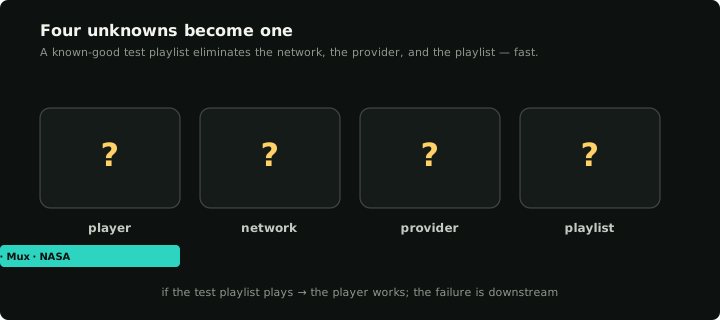
A known-good playlist eliminates three of the four variables at once — what's left is the player.
What a "good test playlist" actually looks like
You can find ten thousand free public M3U lists on GitHub. Most of them are 80% dead within six months. They're not test fixtures — they're scraped lists of whoever happened to be public-facing on a given day, and links rot at internet speed.
A useful test playlist has different properties:
- Stable upstream. The host commits to keeping the stream up because it's a published demo. Mux, Apple, Unified Streaming, broadcasters with public live feeds.
- Small. Five to ten channels, not five thousand. You're testing the player's plumbing, not exhaustively exercising every code path.
- Mixed. A VOD-style demo (Big Buck Bunny), a live HLS news stream (NASA, France 24), an audio-only stream, optionally a deliberately-broken entry. Each tests a different code path inside the player.
- No credentials. A test playlist that needs your login isn't a test playlist; it's the thing you're trying to debug.
The generator outputs one of these. Two URLs you can paste into a player produce different test surfaces, but the default mix (demo videos + live news, with logos and group titles enabled) covers the great majority of "is this player broken" questions.
What each test reveals
Once the test playlist plays in the player, certain questions become answerable that weren't before.
Big Buck Bunny / Tears of Steel / Apple BipBop play
These are H.264-encoded HLS streams with a very small video resolution. If they play smoothly, the player can:
- Open an HLS URL.
- Decode H.264.
- Render to whatever surface the platform uses.
- Drive an audio output.
If a player fails on these, the failure is fundamental. Either the player's media stack isn't initialising at all, or the network can't reach the stream host. Both are easy to verify: open the same URL in a desktop browser. Apple's HLS reference streams play directly in Safari; Big Buck Bunny plays in any browser with HLS.js.
NASA TV / France 24 / France 24 / DW play
These are live HLS streams. Different code path from VOD. If the demo videos play but live news doesn't, the player has trouble with one or more of:
- Continuous (non-DVR) HLS feeds where the manifest updates live.
- Long-running socket lifetimes (live streams keep the connection open; VOD finishes and closes).
- The network keeping the connection alive (some firewalls drop long-lived TCP).
Live news streams also tend to use slightly different codecs and bitrate ladders than the demo VODs, so a "live news fails, demos work" symptom can also be a codec issue. The Apple HEVC test stream in the generator catches this — if HEVC is the problem, that one fails too.
Channel logos appear
The generator includes tvg-logo URLs pointing at Wikimedia. If you have logos enabled in the form and the player doesn't show them, the player either:
- Isn't fetching them (some players only fetch logos on user action).
- Is fetching but rendering them incorrectly (different image format expected).
- Is failing on Wikimedia's specific cert chain or CDN.
This is rarely the actual blocker but it confirms the network can reach a different domain than the streams themselves. Useful when chasing a network-layer block.
Group titles render correctly
The default-on group-title attribute puts each stream in a category folder. If your player shows everything as one flat list when groups are enabled, the player doesn't honour group-title — common in older players, less common in modern ones. This isn't usually a fatal flaw; just means you'll have to rely on favourites to navigate when you import a real provider with thousands of channels.
The deliberately-broken streams produce a clear error
The "broken" category is opt-in. When enabled, the playlist includes a DNS-failure URL and an HTTP-404 URL. A good player surfaces a clear error message ("stream not available" / "404 not found") and lets you skip back to a working channel. A bad player freezes, crashes, or silently moves on without telling you which channel was bad.
This category of test catches a real ergonomic problem: when you eventually import a 5,000-channel provider playlist, perhaps 5–10% of the channels will be dead at any given moment. A player that freezes on dead channels is borderline unusable; one that surfaces an error and lets you keep moving is fine. Better to know now.
Public test streams worth knowing about
The generator's catalogue is curated, but if you want to know the underlying URLs, here's the short list. These have been stable for years (most for a decade or more):
- Big Buck Bunny —
https://test-streams.mux.dev/x36xhzz/x36xhzz.m3u8(Mux test fixtures). - Tears of Steel —
https://demo.unified-streaming.com/k8s/features/stable/video/tears-of-steel/tears-of-steel.ism/.m3u8(Unified Streaming demo). - Apple BipBop — Apple's reference HLS streams. The "advanced" variant tests HEVC.
- NASA TV —
https://ntv1.akamaized.net/hls/live/2014075/NASA-NTV1-HLS/master.m3u8. - France 24 English —
https://live-hls-web-aje.getaj.net/AJE/01.m3u8. - France 24, DW News — broadcaster-hosted live HLS.
You can paste any of these directly into a player as a one-channel "playlist" too, but a small playlist with several channels is a more thorough test (it exercises the channel-list UI and the channel-switching code path, which a single direct URL doesn't).
After the test passes
If the test playlist plays correctly, the player isn't the problem. The next thing to test is the network — can it reach your provider's IP from the same device? Some IPTV providers are blocked at the ISP level in certain countries.
The cheapest network test: go to the M3U playlist tester on a desktop browser, paste the real provider's URL, and see whether the streams resolve. The M3U tester probes the streams from a server-side IP that's almost certainly not blocked, so a "tester says yes, my player says no" split confirms the issue is your local network.
If the network is fine, the issue is the provider's playlist or credentials. The diagnostic for that case is the Xtream credentials checker (if you have Xtream-style credentials) or simply re-pasting the URL into the M3U tester to confirm streams are alive.
After the test fails
If the test playlist doesn't play, the issue is upstream of any provider — and it's worth being specific about which test failed:
- None of the streams play, no error message. The player isn't initialising. Check whether it has the codecs it needs (some Smart TV apps ship with a smaller codec set than expected). Try a different player on the same device — VLC or a generic media player will play these streams if anything will.
- Streams play in another player on the same device, but not in yours. That's a player bug. Reach out to the developer with the test playlist URL — it's a known-good fixture and removes ambiguity.
- None of the streams play AND no other player works either. Almost always the network. A captive portal, a DNS-level blocker (some ad-blocking DNS services block streaming CDNs), a corporate firewall. Try the same playlist on a different network — phone tethering is usually the fastest sanity check.
- The streams play but the channel list is empty or weird. The player isn't parsing the M3U correctly. Check the playlist contents using "View Source" or the browser-native preview to confirm the file looks well-formed (
#EXTM3Uheader, then alternating#EXTINFand URL lines). The generator's playlist is valid by construction; if your player rejects it, the player has a strict parser that may not love the M3U variants real providers ship.
Why we don't host these streams
Klipa doesn't host any of the streams in the test playlist. They're third-party demo and broadcast feeds. Specifically:
- We don't pay for bandwidth. Every play of these streams pulls from the third-party CDN, not ours.
- We don't proxy or rewrite. The URLs in the playlist point directly at the third party; the player connects to them directly.
- We don't track plays. The third-party CDN sees the play, but we don't.
The flip side is that any individual stream may go down. If one channel doesn't load when you import the test playlist, switch to another in the same playlist before assuming the player is broken. Multiple streams from independent sources is the design.
After this works
Once you've confirmed the player works on a sample playlist, importing your real provider is a separate problem. The strategy is: if both work, you're done. If the sample works and your provider doesn't, the Xtream credentials checker and M3U tester will tell you which provider-side fault you're hitting (auth, expiry, dead streams, blocked IP).
Klipa accepts the sample playlist URL directly — paste it in as an M3U source and you'll get exactly the channels in the generator. Same in any other M3U-capable player.